Infor ION API
An Authorized App in Infor ION API issues the Client ID and Client Secret used for machine-to-machine authentication for a Vince Platform Connection to Infor M3 (or other Infor ERP) via ION — for M3 specifically, these are the credentials referenced in the OAuth 2.0 Connection fields in Connecting to Infor M3 (Solutions 1 and 2). This guide covers creating one for backend service / machine-to-machine communication, where no user interaction is required for authorization.
Creating an Authorized App is the same process for Infor M3 (or other Infor ERP), and regardless of whether Vince Platform connects directly (multi-tenant) or through a proxy (on-prem or single-tenant with ION) — see Connecting to Infor M3 for the M3-specific Connection setup. Only the network path to reach the STS/ION API Gateway differs; the Authorized App, and the Client ID and Client Secret it issues, are always obtained this way.
This is configured in Infor ION API, not in Vince Platform. It's typically done by your Infor administrator.
Steps
-
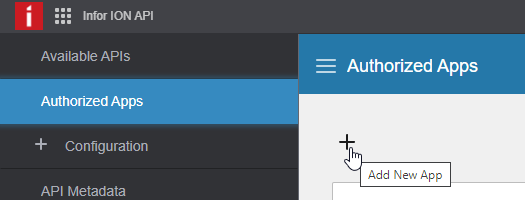
In ION API, go to Authorized Apps and click + (Add).
-
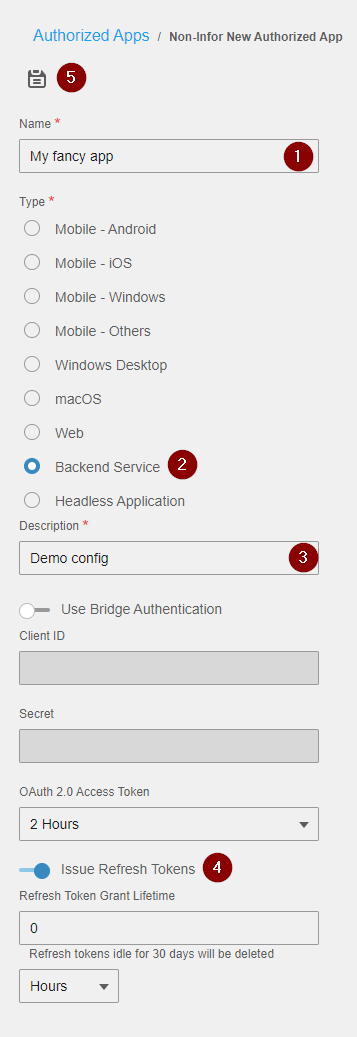
Enter a name and description, and select Backend service as the app type. Toggle Issue Refresh Tokens on if you want to be able to use refresh tokens, then save the configuration.
-
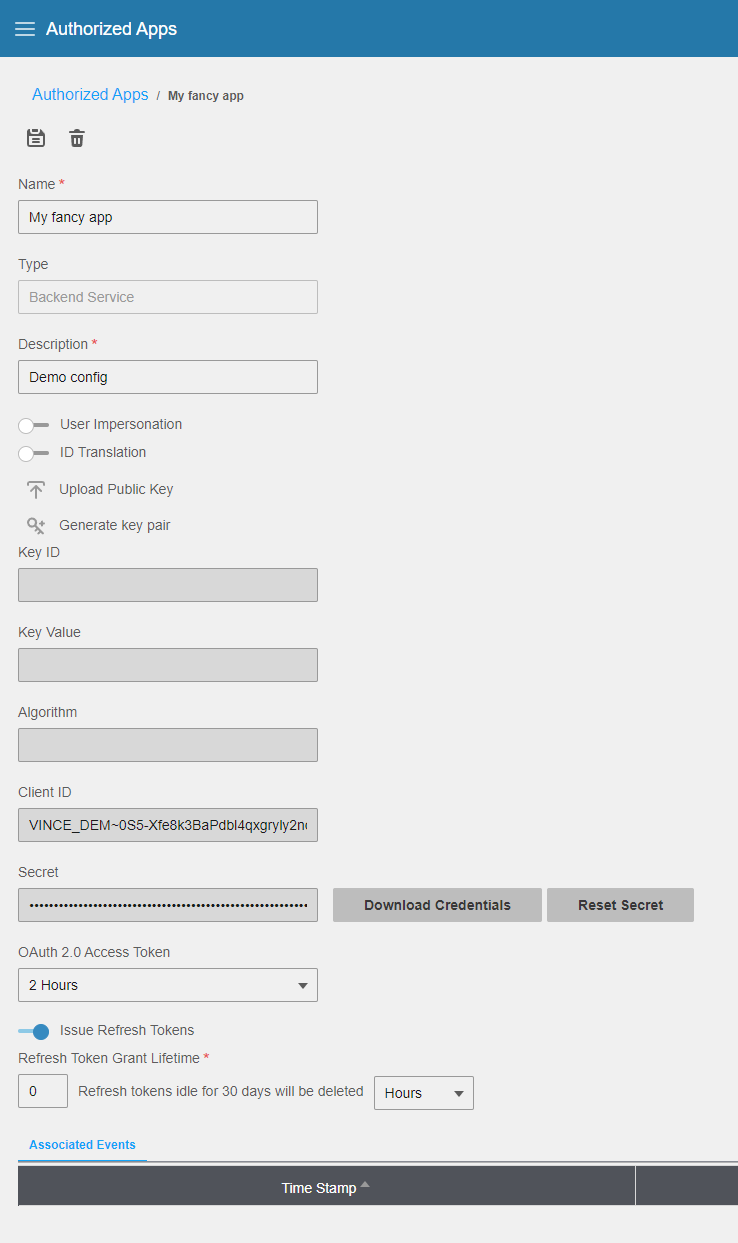
Once saved, click Download credentials.
-
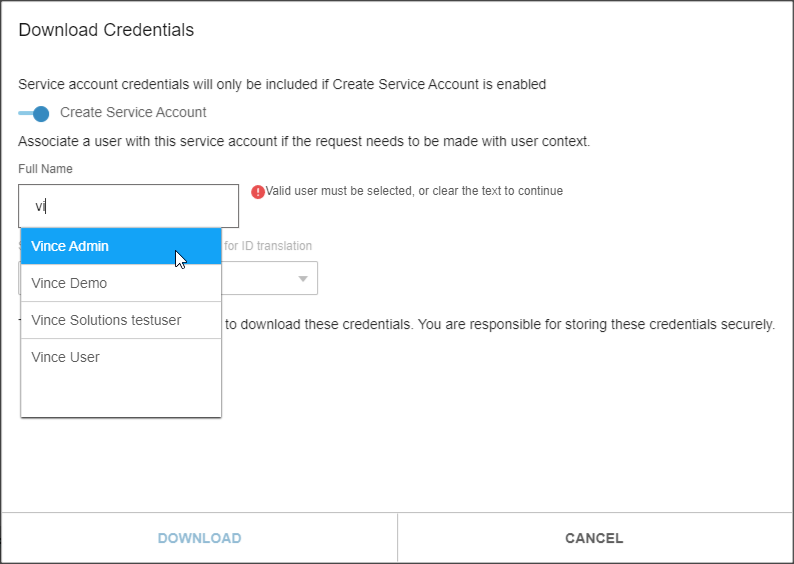
Toggle Create service account and select the user that should be used for this connection. This user must have Run as permissions in M3 Business Engine (or other Infor ERP), so the connection can provide a per-user ID on API calls.
-
Click Download to download the
.ionapifile, which contains the Client ID, Client Secret, and other connection details.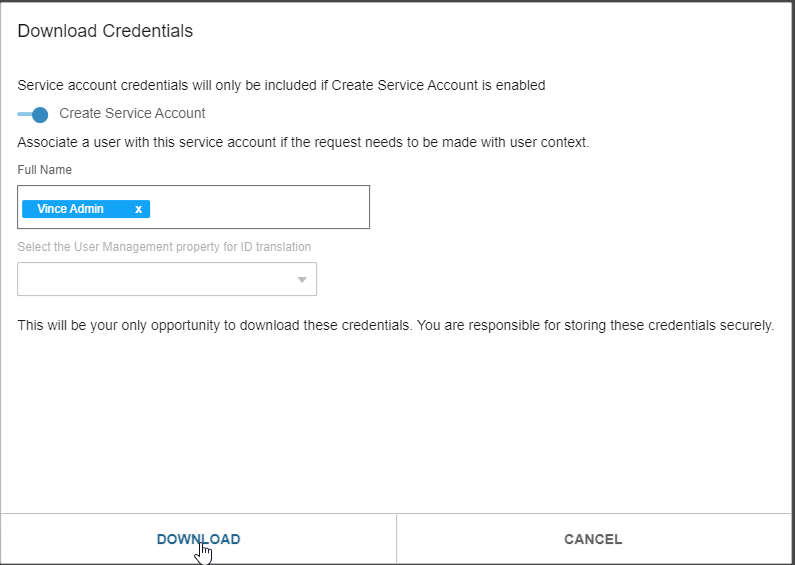
-
In Vince Platform, go to Administration → Integrations → Connections and click + New Connection. Select the matching System (e.g. M3), then use Autofill from File to import the downloaded
.ionapifile — this pre-fills the Client ID, Client Secret, and endpoint fields for you.
Further reading
- Connecting to Infor M3 — use the Client ID and Client Secret from the
.ionapifile in a Vince Platform Connection to M3 - Create a Connection — full field reference, including the Autofill from File option