App Builder
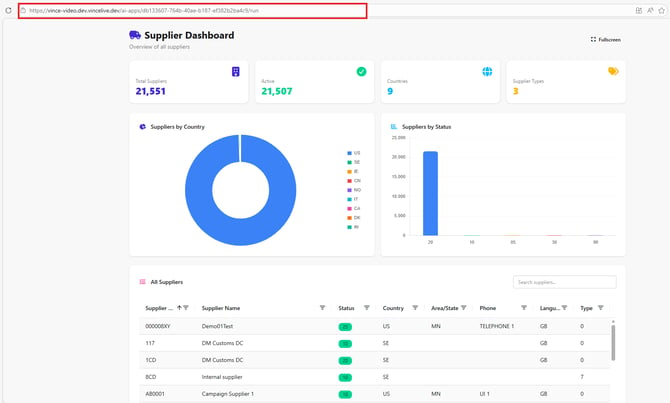
App Builder lets you create business applications by describing what you want in plain language. The AI generates the frontend for you, drawing on the workflows and tables already set up in Vince Platform. No coding, no component-by-component assembly.
Who it's for
App Builder is designed for several types of users:
| Audience | How they use it |
|---|---|
| Business users | Create dashboards, portals, and trackers without development skills |
| Power users | Build on top of existing workflows and data processes they already own |
| App administrators | Manage versions, publish apps, and control who can access them |
| Domain specialists | Translate supply chain or operations knowledge into self-service tools |
Who does what
The AI builds the app's screens. The data and business rules behind them come from workflows and tables, which someone has to set up first.
| Part | Who usually does it |
|---|---|
| Turning on App Builder for your company | Vince |
| Workflows that read and update data in your systems, such as Infor M3 | Your integration team. Vince often builds the first ones together with you — see Built for customers to own |
| Tables that store the app's own data | Your integration team or the app builder |
| The app itself, built from prompts | Business users and power users with Write access |
| Publishing the app | App owners with Deploy access |
| Giving people access to the app | Your tenant administrator, through roles — see Security & Roles |
App Builder saves the most time when the workflows and tables already exist. If they don't, building them comes first.
Key concepts
| Term | What it means |
|---|---|
| App | The user-facing business application — a dashboard, tracker, portal, or form |
| Workflow | A Vince Platform process that retrieves, transforms, or sends data |
| Table | A structured data source with defined columns |
| Resource | A workflow or table connected to an app as its data source |
| Alias | A plain-language name given to a resource for use in prompts |
| Build Session | The active editing context — one user per app at a time |
| Tenant Prompt | Organisation-wide standing instructions applied to every app build |
| InApp Role | An app-specific access rule controlling what different users see or can do |
| Environment | A deployment context (dev, test, production) |
Prerequisites
Before you can build apps:
- App Builder must be enabled for your tenant by Vince.
- Your Vince Platform role must include App Builder: Write or Deploy permission — see Concepts & Architecture for permission levels.
- The workflows and tables your app will use must already exist in Vince Platform.
New workflows must be run at least once with realistic inputs before App Builder can use them, unless they were created with the M3 Workflow Builder. Tables are ready immediately. See Workflows — The 1-run requirement for details.
Video walkthrough
Prefer to watch rather than read? This video walkthrough covers the same steps as the quickstart below: enabling App Builder, connecting a workflow, prompting a dashboard, and publishing it.
Quickstart: build your first app
-
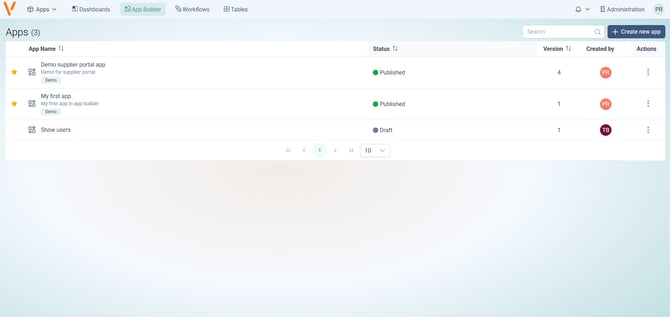
Open App Builder from the Vince Platform navigation. You land on the App Library, which lists every app in your tenant.
-
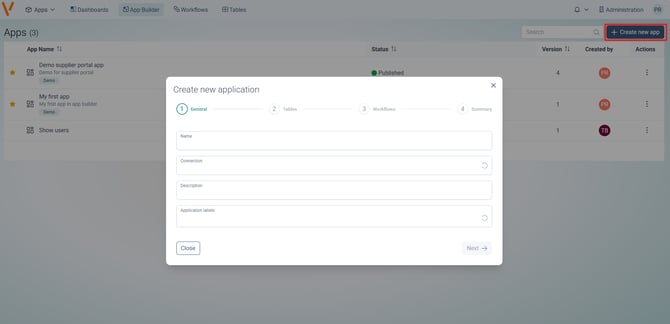
Create a new app. Click + Create new app, give it a name and a short description, and select the LLM connection to use.
-
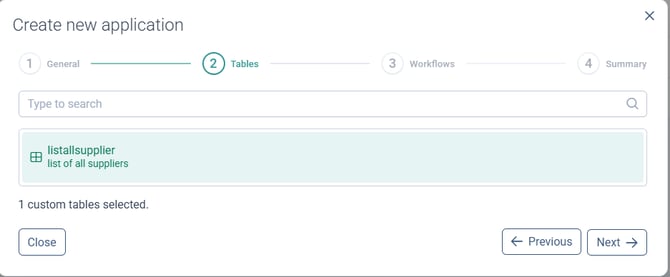
Add a resource. Open the Resources panel and pick the workflow or table your app will use.
-
Set an alias. Give the resource a short, descriptive name you can refer to in prompts (e.g.
orders_table,invoice_workflow).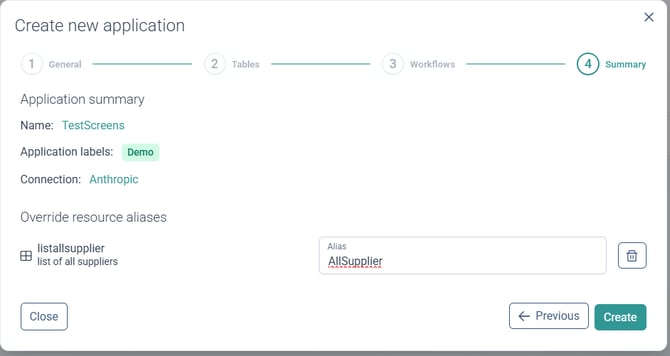
-
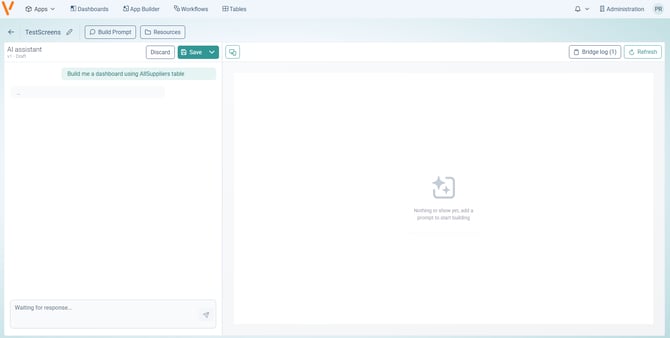
Write your first prompt. Describe what you want in plain language — mention the resource alias, key fields, and layout, and keep the first prompt simple.
-
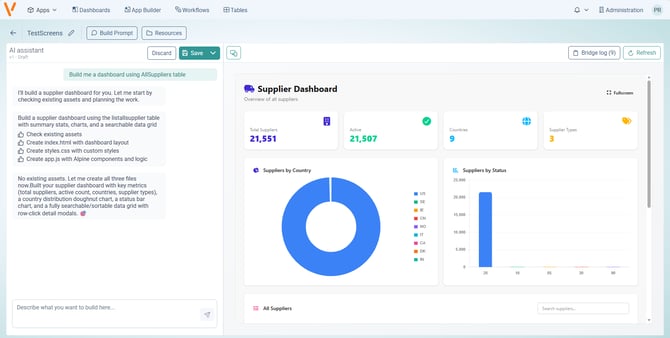
Review and iterate. The chat locks while App Builder generates a preview. Look at the result and refine it with focused follow-up prompts.
-
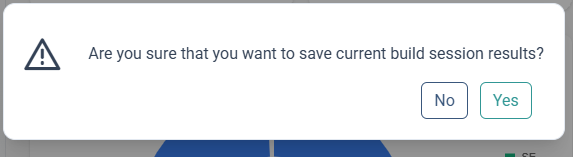
Save to lock in your progress and end the build session.
-
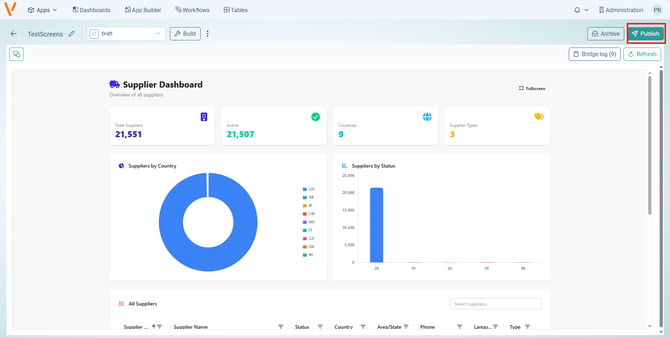
Publish to make a version the one end users run.
-
Run the app from the App Library, or share its link with your users.
In this section
- Create a New App — editor walkthrough, resources, prompting, device preview, and publishing
- Concepts & Architecture — how App Builder fits into Vince Platform, permission levels, and data safety
- Security & Roles — platform roles, governance, and least-privilege guidance
- App messaging — let an app exchange messages with Infor OS or another host application
- Application feedback — let users send comments from a running app and review them as the builder
- Audit log for your app — keep a history of who changed which record in your app, and show it in the app
- Manage your apps — search, labels, filters, favourites, copying and deleting apps, and the Cost overview
- Install an app on your device — run a published app like a regular app on your phone, tablet or computer
- Troubleshooting — common problems and FAQ